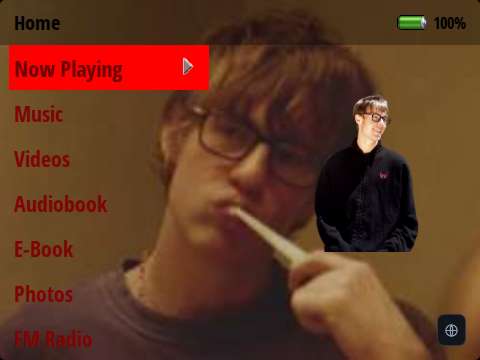
Custom wallpaper, screen overlay masks, 12 home screen icons, 50 settings icons, 10 status bar icons, file browser icons
Typography
Custom (opensans-condbold.ttf)
Color palette
#6C0404#7F0505#2D0606#A92323#862323#FFFFFF
How to install Malcolm Todd on Innioasis Y1 & Y2
Click Download theme above to save the ready-to-install ZIP, or click Preview in Studio and choose Try on Device to copy it directly over USB.
Connect your Innioasis Y1 or Y2 to your computer, enable USB Storage Mode on the player, and copy the unzipped Malcolm_Todd folder into the player’s Themes folder.
Safely eject USB storage, then open Settings → Change Theme on your player and select Malcolm Todd. See the full theme installation guide for tips.