Testers needed: Solar for Y1
Solar Enables Wi-Fi on your Y1 and unlocks a world of modern capabilities on your Innioasis Y1 — from direct on-device theme downloads and ad-free streaming to visual Cover Flow browsing.
What Solar Brings to the Y1
Solar is a full interface replacement and modern operating system for the Innioasis Y1 that enables Wi-Fi and direct on-device network tools.
Direct Theme Downloads
Download and apply themes from this gallery right onto your Y1 over Wi-Fi. No PC, browser, or USB transfer required.
Ad-Free YouTube
Stream or download offline YouTube videos and high-quality audio tracks directly on your player, completely without ads.
Reach (Deezer & Soulseek)
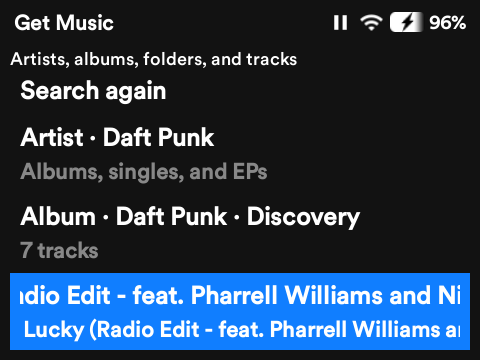
Search, play, and download music directly over Wi-Fi using your Deezer session (MP3/FLAC without ads) or Soulseek P2P sharing.
Flow Album Browsing
Experience smooth Cover Flow-style visual album navigation directly on the device for an intuitive, retro music feel.
Podcasts & Navidrome
Search and download favorite podcast episodes over the internet, or connect to your own personal self-hosted Navidrome library.
Over-The-Air Updates
Receive and install future Solar updates directly over Wi-Fi right from the device settings without plugging into a PC.
Global Quick Menu
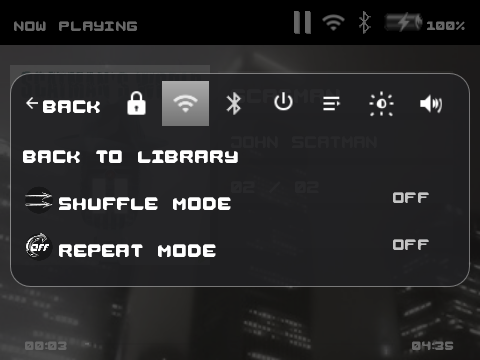
Access a global context menu from any screen to control playback, queue management, Wi-Fi, and Bluetooth settings instantly.
Full Theme Compatibility
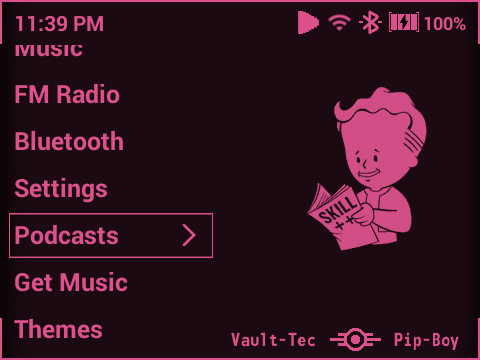
100% compatible with all community themes from this site. Keep your custom looks while unlocking modern OS features.
Solar in Action
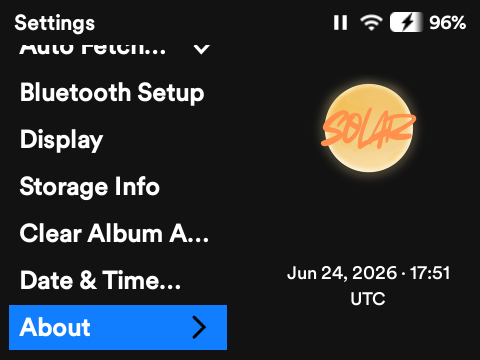
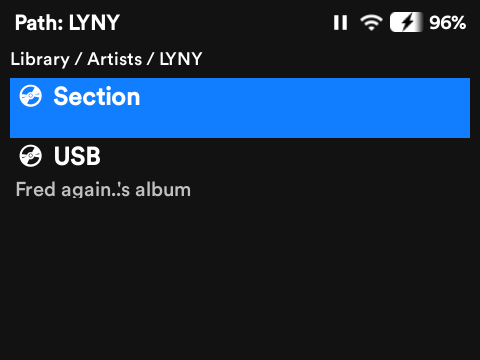
Take a look at Solar's clean interface, music streaming tools, and visual Cover Flow on the Innioasis Y1.

How to Install Solar
Installing Solar on your Innioasis Y1 is quick and seamless right inside the official Innioasis Updater application.
-
1Open Innioasis Updater
Launch the official Innioasis Updater tool on your computer
-
2Select Solar from the Software Dropdown
Pick Solar directly from the Software dropdown list within Updater.
-
3Click Install
Hit the Install button. The updater will download the firmware and flash Solar to your device automatically.
Alternative Installation Methods
Manual zip via Updater: Download the latest rom.zip from the Solar GitHub Releases page, click Browse Files in Innioasis Updater, and select the downloaded zip file to begin installation.
Advanced users can also flash Solar using SP Flash Tool 5.1924 or MTKClient. For complete flashing instructions and developer documentation, visit the Solar repository documentation.