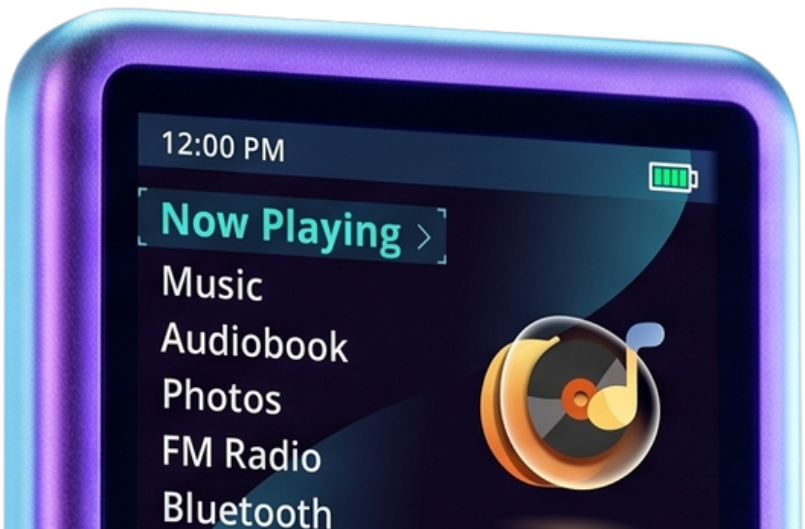
Koensayr themes for the Innioasis Y1 and Y2
Koensayr themes for the Innioasis Y1 and the Innioasis Y2. Preview one, then install it on a player running Koensayr.
Studio Report an issueKoensayr themes for the Innioasis Y1 and the Innioasis Y2. Preview one, then install it on a player running Koensayr.
Studio Report an issueRefresh every theme already on your Y1 with the latest files from this gallery. New themes are not installed - use Direct Install via USB on each card first.
Koensayr keeps the interface you know and fixes what annoys you. Music browses by artist, and Bluetooth shows track names and works with car controls. It is for the Innioasis Y1, and the themes here are the ones it uses. Install it from Updater CE.
Every theme in this gallery works on Koensayr. The same files also work on the Original Software, Better-Y, Koensayr and Solar, on both the Innioasis Y1 and the Innioasis Y2. People look these up as Koensayr themes, Koensayr themes for the Innioasis Y1, Koensayr themes for the Innioasis Y2, Innioasis Y1 Koensayr themes and Innioasis Y2 Koensayr themes.
Open a theme below and download it, then copy its folder into the themes folder on the player. On a desktop browser that can choose a folder, use Direct Install via USB on the theme and pick the player's themes folder. The install steps cover the Y1 and the Y2.
The theme files are the same Y1 and Y2 files. Koensayr itself is the Y1 system. A Y2 running the Original Software, Better-Y or Solar can use the same theme.
No. A theme from this gallery runs on Koensayr, the Original Software, Better-Y and Solar.
In Updater CE, choose the Y1 and Koensayr.